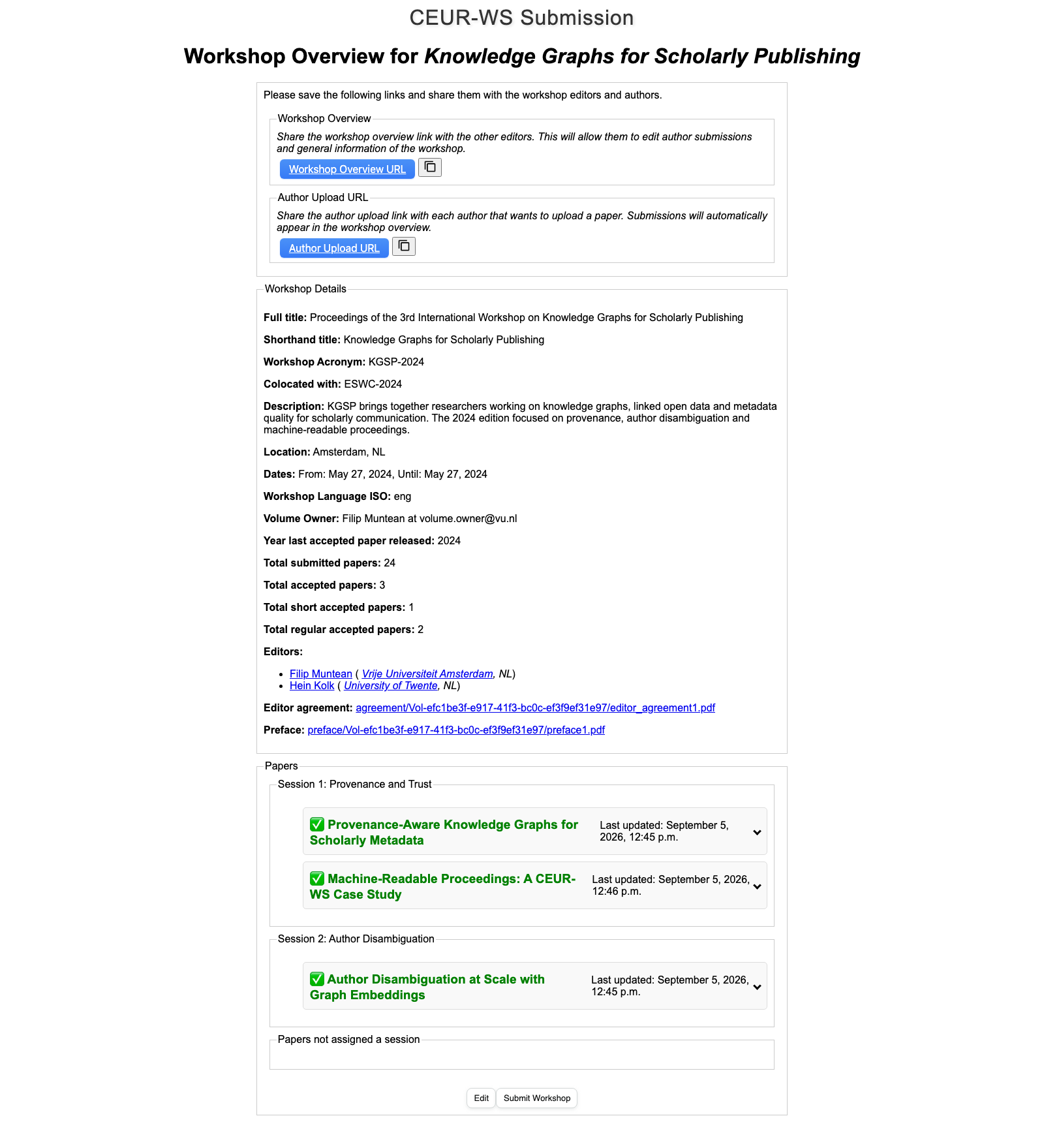
CEUR-WS.org publishes open-access proceedings for academic workshops, and for years the intake was email plus hand-written HTML. This is the Django app that replaces it, built at Vrije Universiteit Amsterdam with Hein Kolk. A volume editor describes the workshop once, authors upload their own papers, and the app emits the metadata, the zipped files and the volume index page that CEUR-WS publishes.
The live instance runs at krr.cs.vu.nl/ceur-beta/workshops/. The screenshots below are from a local run with a workshop I made up.
Two links, no accounts
There is no login anywhere. Each workshop row carries two UUID tokens: secret_token for the editors' overview page and author_upload_secret_token for the author form. The overview page hands both out with copy-to-clipboard buttons, and every author given the second link gets their own submission, which appears in the editors' list immediately. Each paper then gets a third token, so an author can come back and edit their own entry without seeing anyone else's.
Describing the workshop
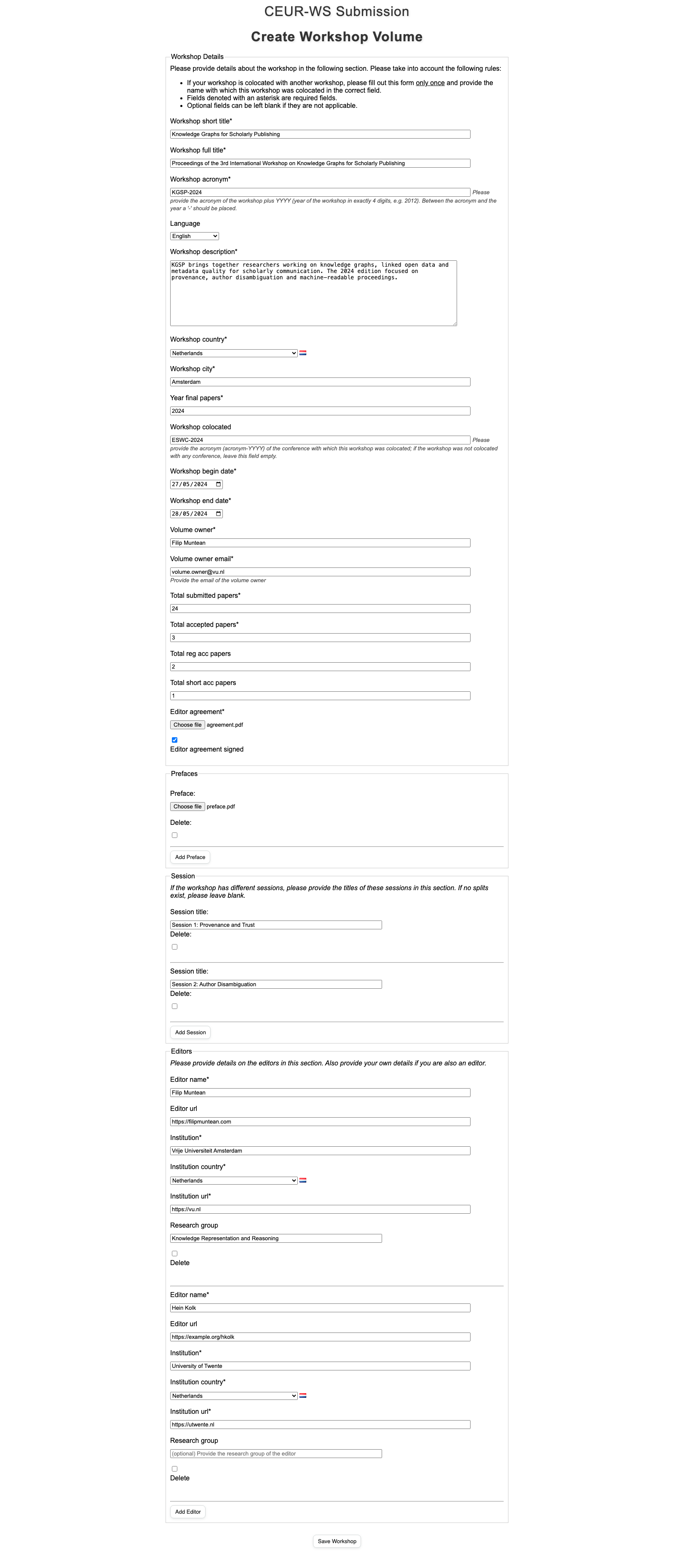
The create form is one workshop form plus four formsets — editors, sessions, prefaces and papers — with rows added in place by jQuery. Language is a dropdown over 70 ISO 639-2 codes loaded from a JSON file; countries come from django-countries, flags included. The form refuses arithmetic that CEUR would reject later: accepted papers cannot exceed submitted, and regular plus short must equal accepted.
What an author does
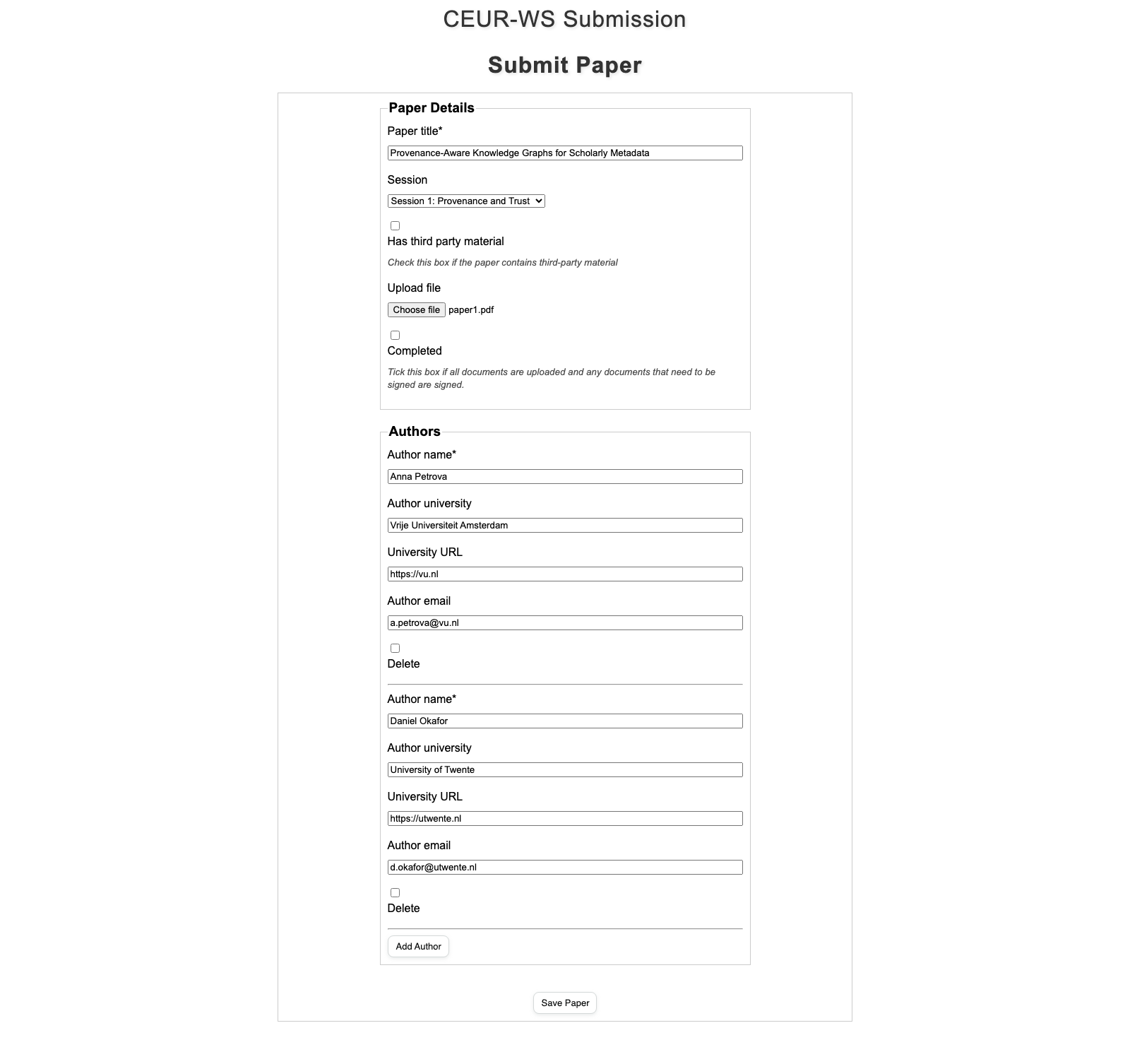
The author fills in a title, picks a session and uploads a PDF. PyPDF2 counts the pages so nobody has to type them. The app then renders the CEUR author agreement — a third-party and a non-third-party variant — with the paper title, page count, author list and editors already filled in.
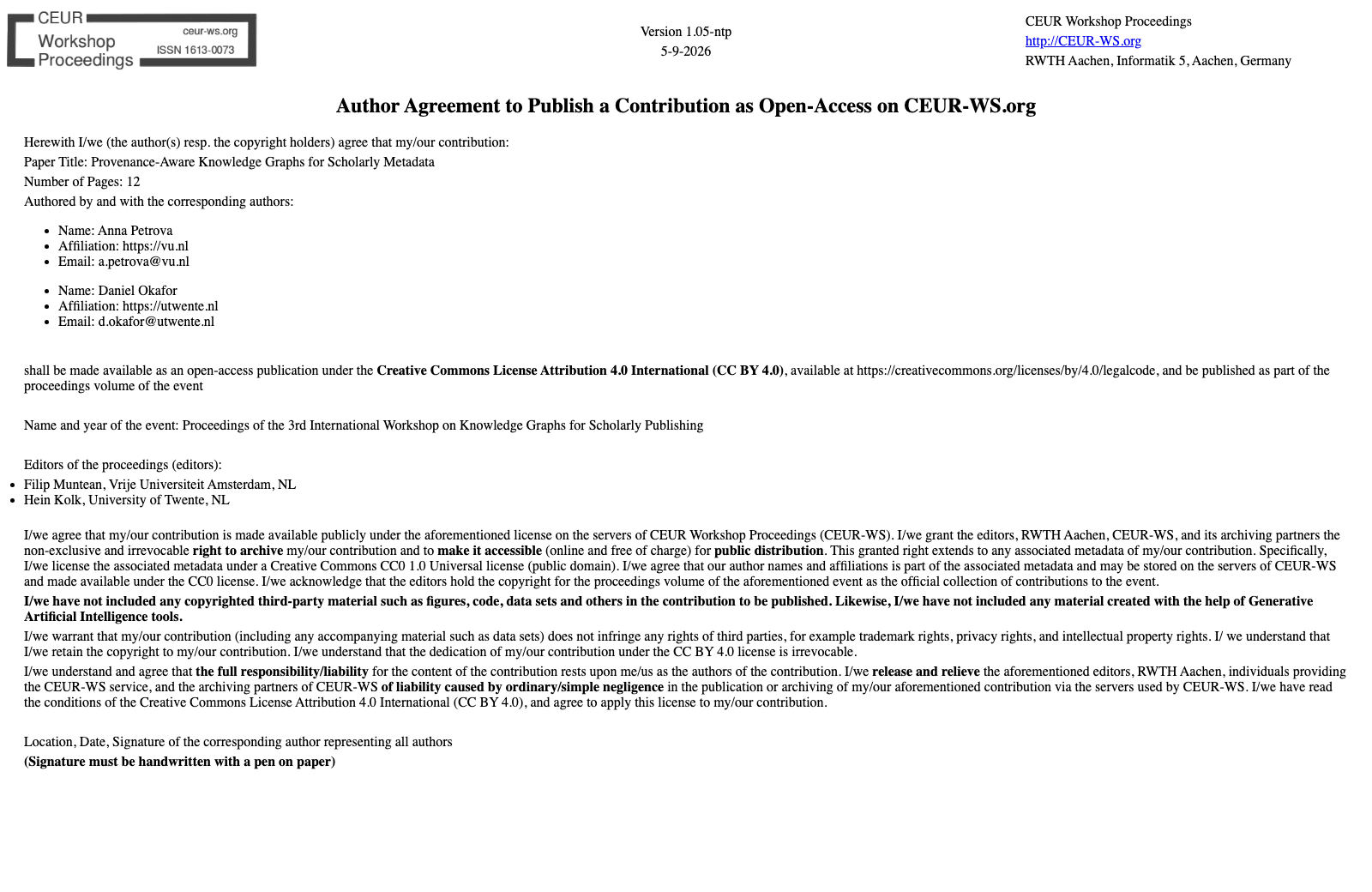
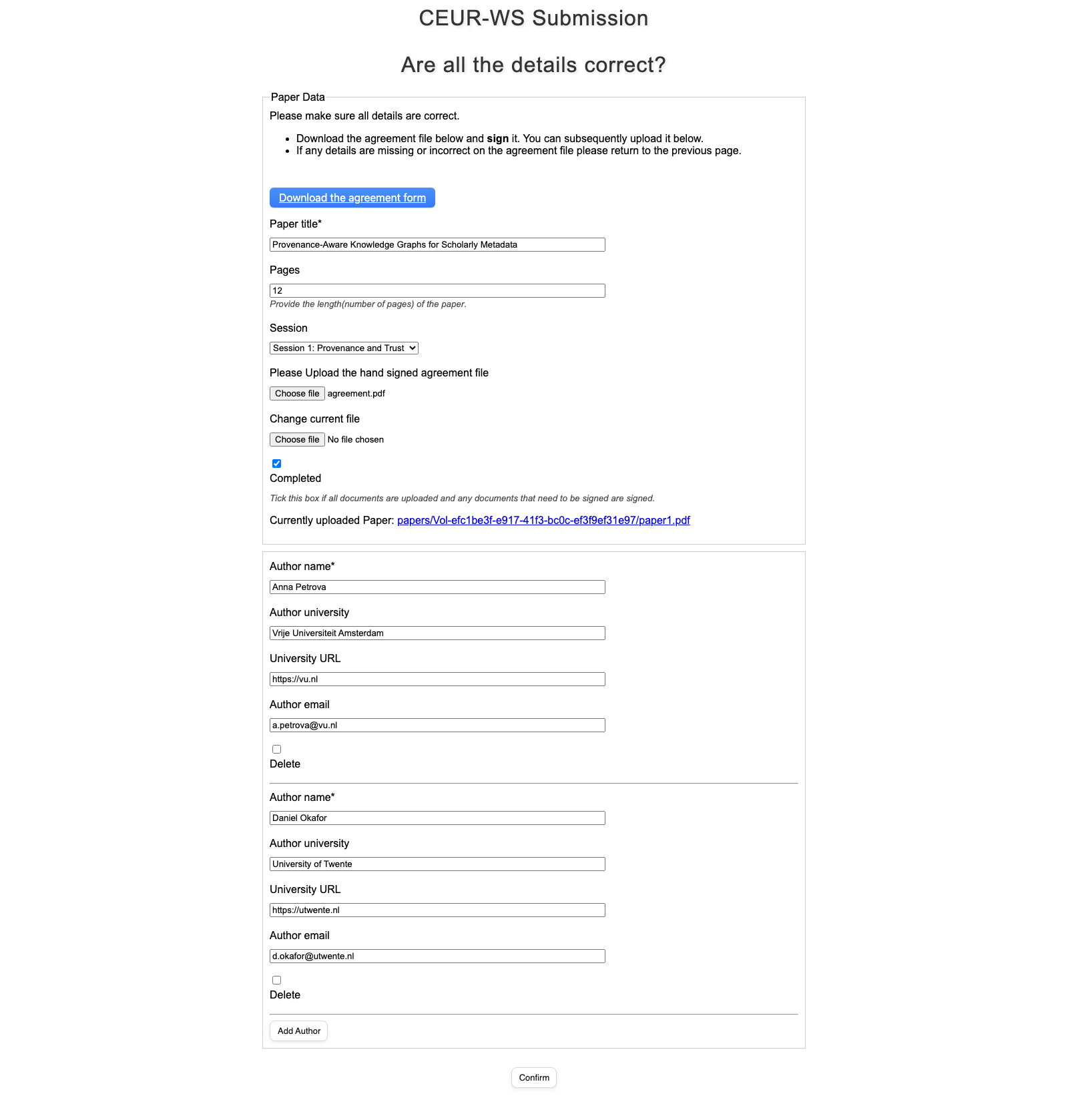
The author downloads it, signs it by hand, uploads it back and ticks Completed — which is what turns their paper green on the editors' page.
Ordering the volume
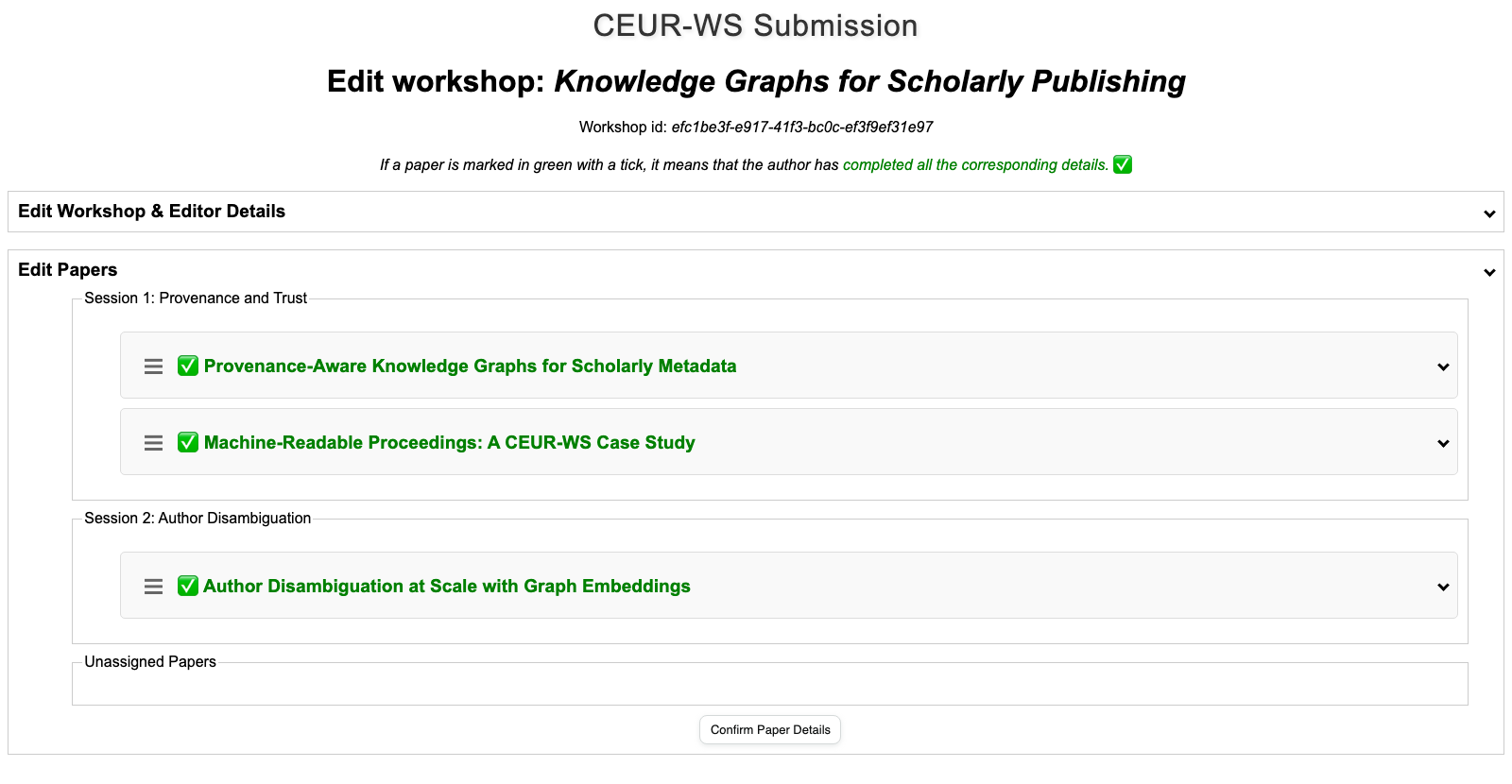
Editors drag papers between sessions and into the order they should be printed in. SortableJS posts the arrangement back as JSON and the view rewrites each paper's order and session.
Producing the volume
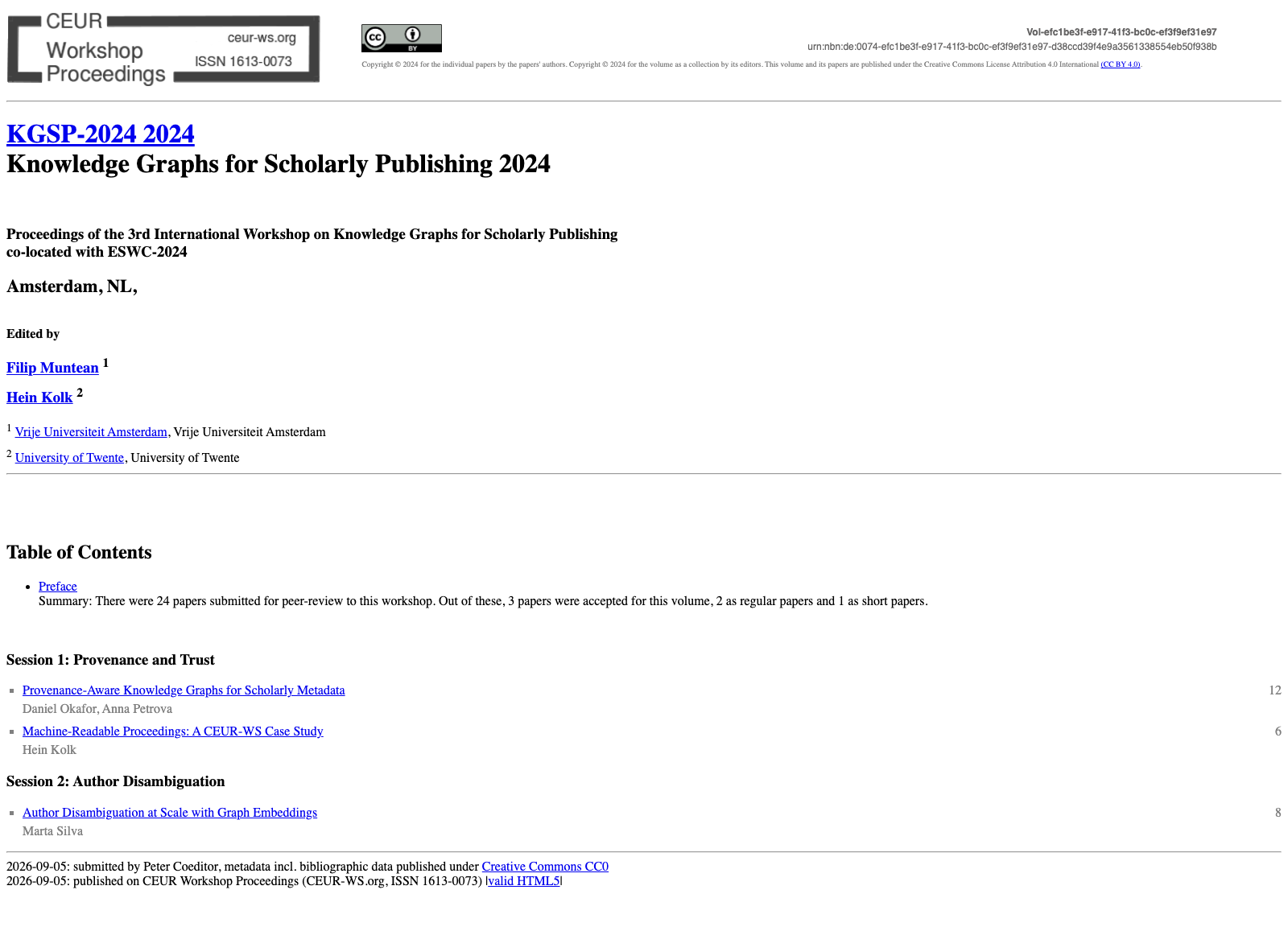
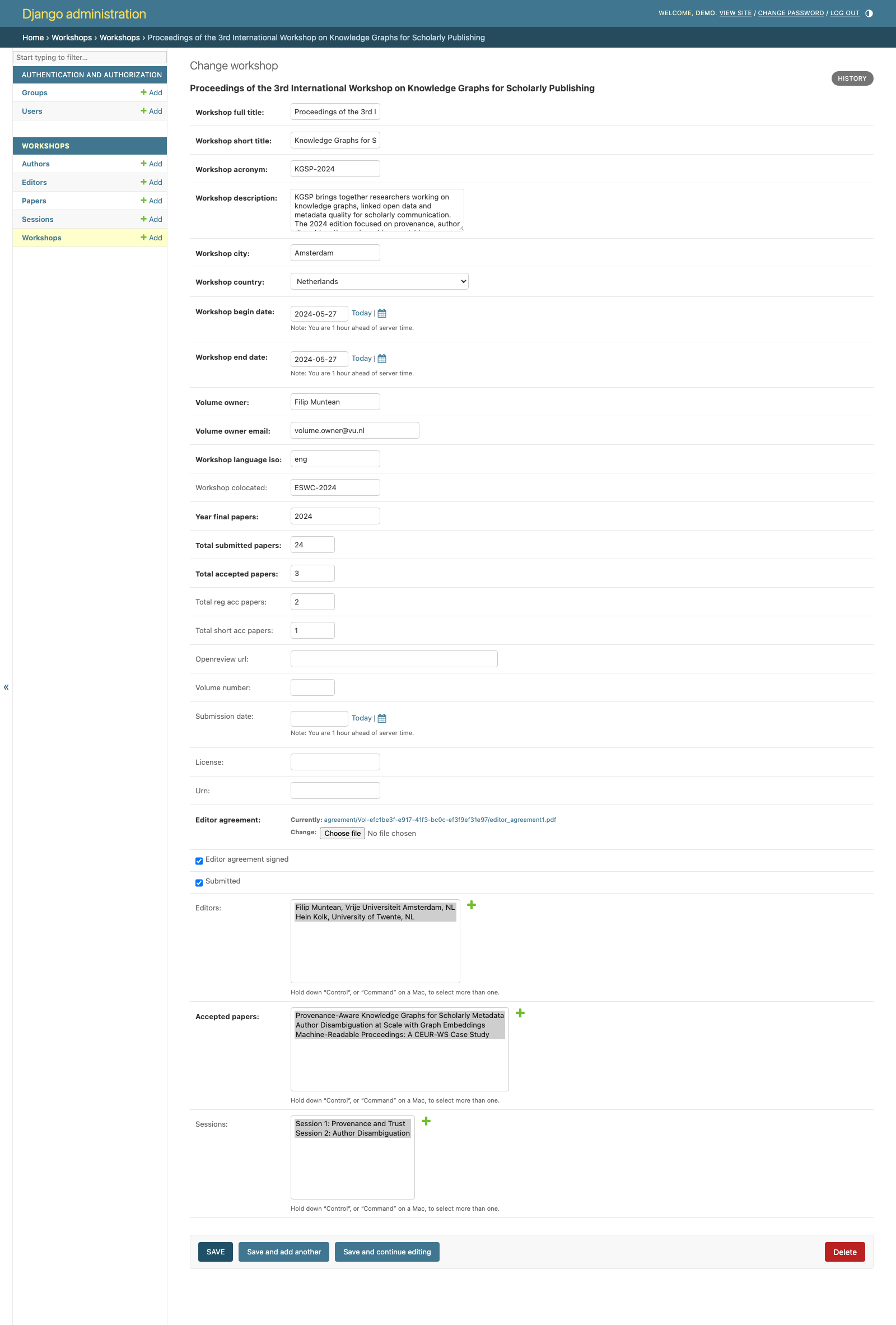
Submitting writes a JSON file of CEUR* keys with an MD5 checksum over them, zips the papers and the agreements, and renders index.html in the house style of ceur-ws.org — masthead, URN, editor footnotes, table of contents by session. That page is the deliverable. CEUR fills in the volume number, URN and licence afterwards through the Django admin.
How it ships
Plain Django 5.0 on SQLite, installed from the repo's setup.py into a virtualenv and served under a /ceur-beta/ URL prefix. No Docker and no CI: pip install ., manage.py migrate, manage.py runserver.
What I built
I wrote the author upload path end to end — the paper form, the page-count extraction, the agreement generation and the per-paper edit link — plus the OpenReview integration that reads a venue's submissions and pre-fills the workshop from them, the JSON metadata layer, and the generator that turns that JSON into the CEUR-WS volume page.